 FaiSnap
Capture, mark up and share. Without leaking a thing.
FaiSnap is a native Mac app for screenshots and screen recordings. It spots passwords, keys and emails before you share, and gives you links you can take back.
Free · macOS 14 Sonoma or later · Coming to download soon

- Text recognition and redaction run on your Mac
- No ads, no tracking, no AI training on your captures
- No account needed to use it
- Updates itself, signed and notarized
Sensitive text
It sees the API key before anyone else does.
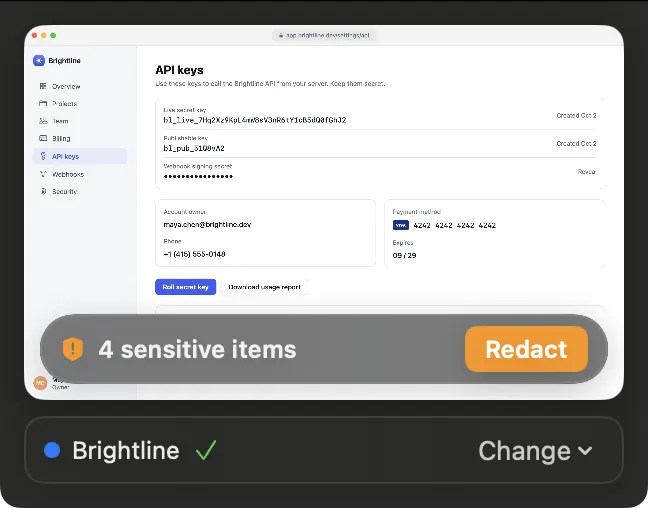
After every capture FaiSnap reads it for emails, phone numbers, API keys and tokens, passwords and card numbers, on your Mac. One click covers them: solid boxes for secrets, pixelation for the rest.
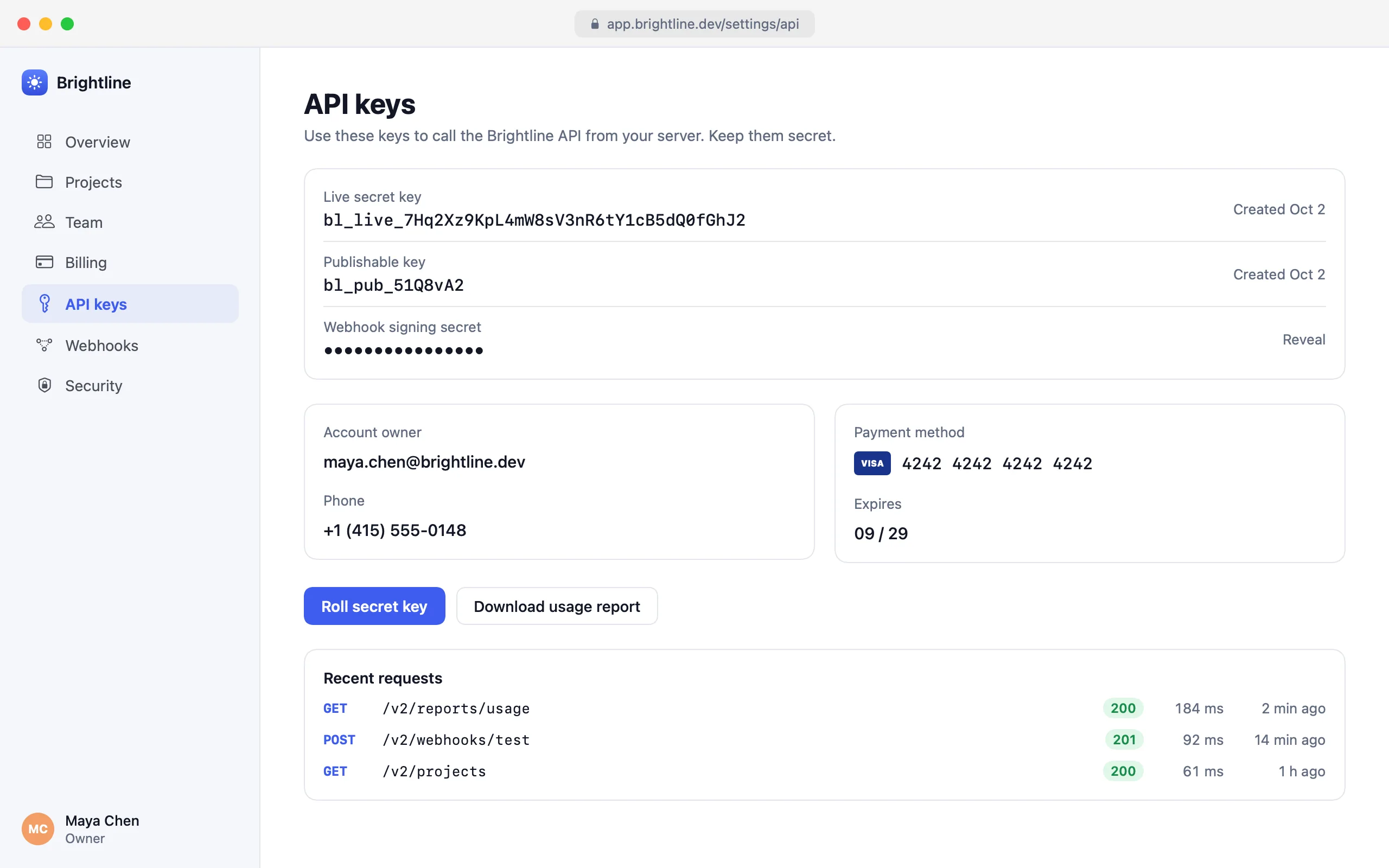
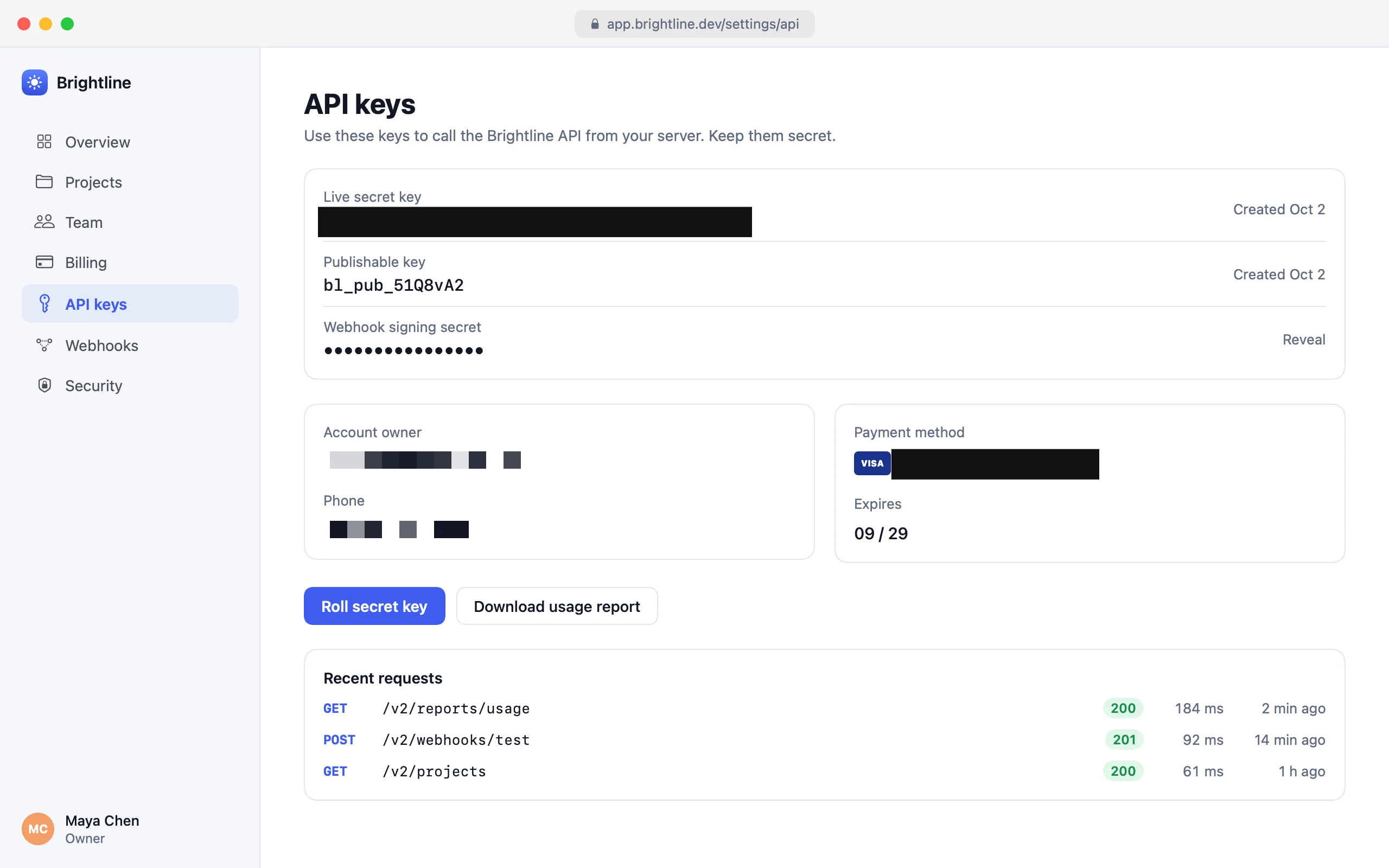
- Text under a cover never comes back when you copy text from the image
- Sharing a link? It checks first and offers Redact & Create Link
- A password under its label in a password manager is caught too
Capture
Every kind of capture. One shortcut.
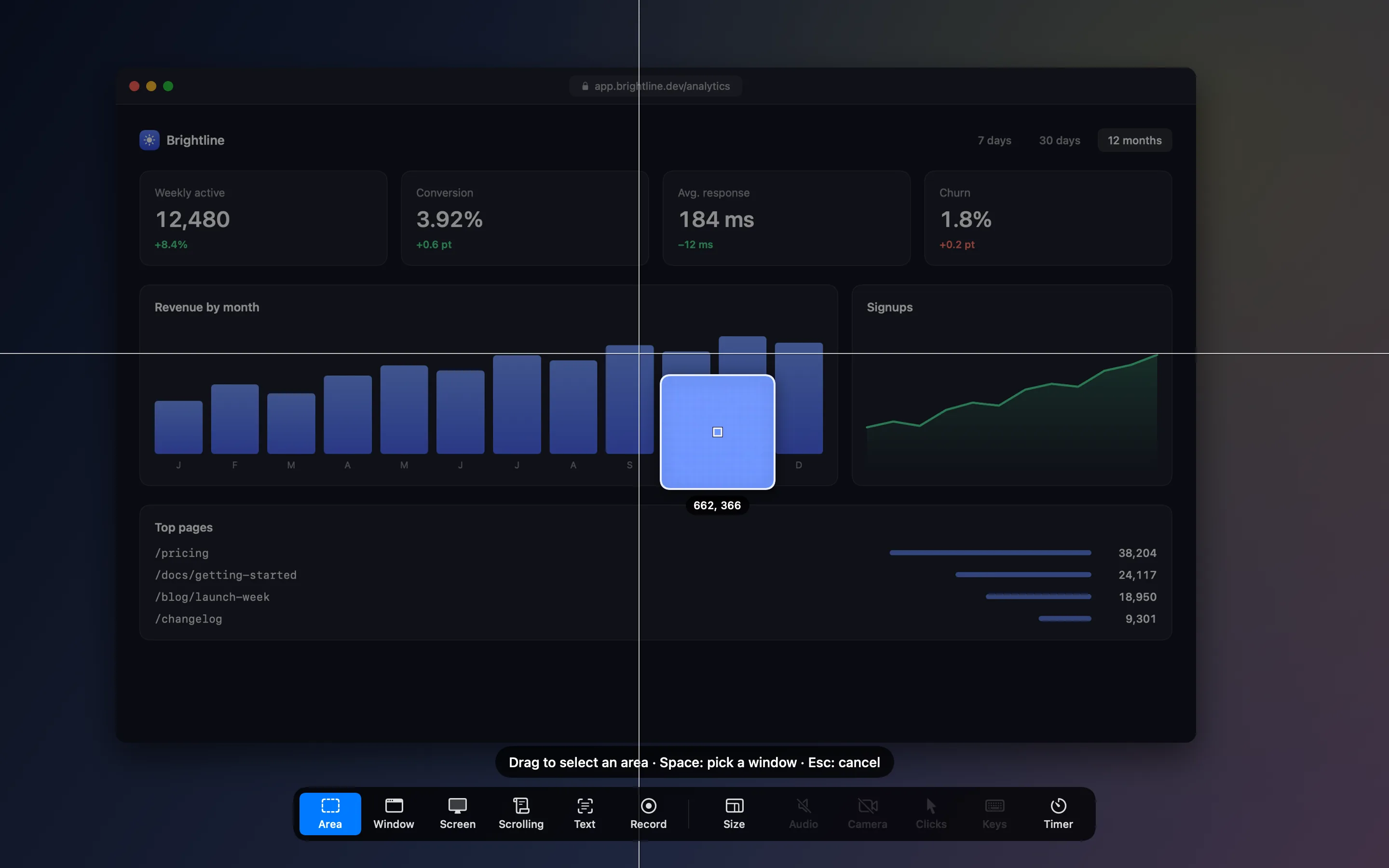
Press ⌃⇧2 and drag, just as with ⌘⇧4. Or pick from the bar along the bottom of the screen: a window, a whole display, a page that scrolls, the text in an area, or a recording.
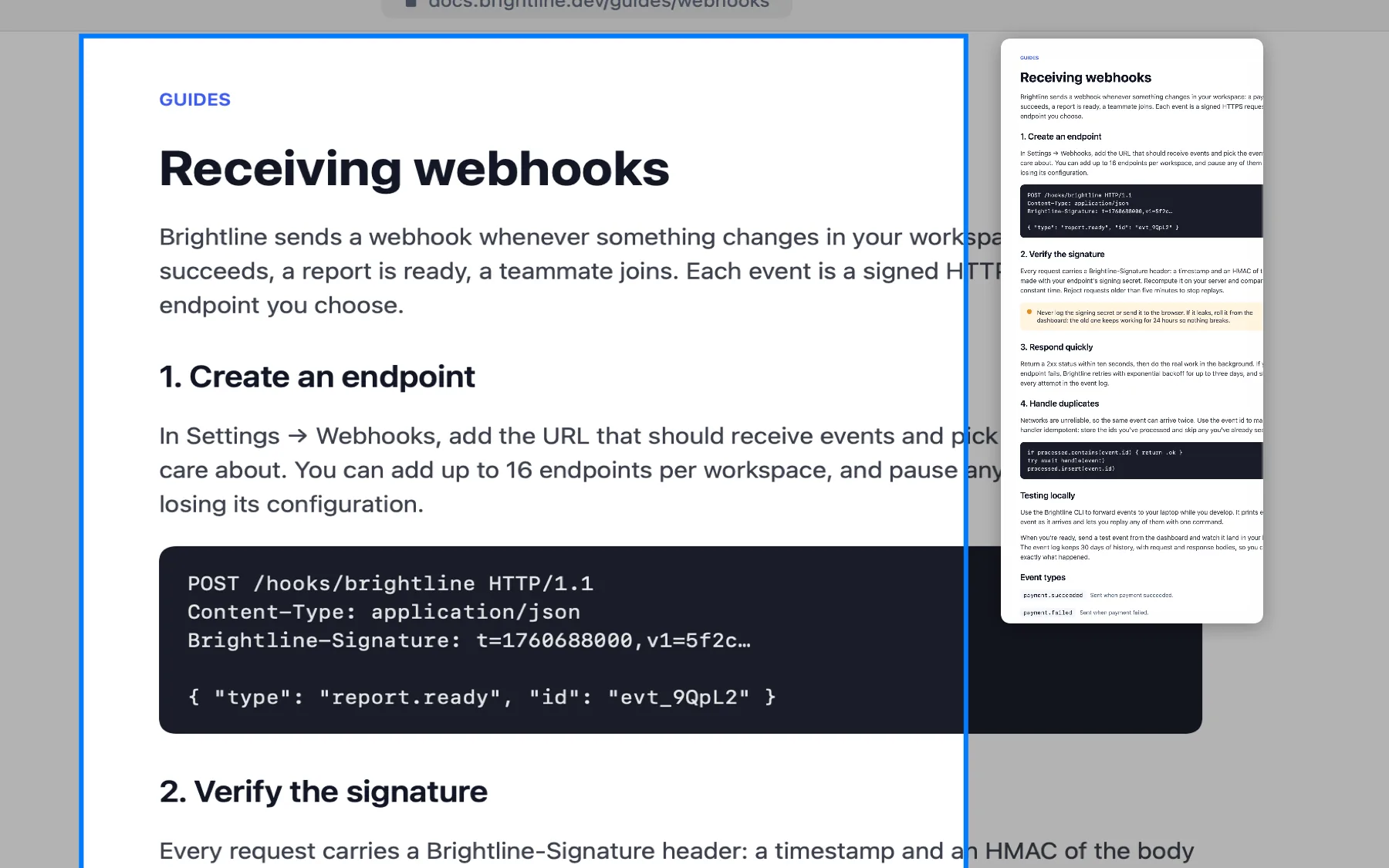
A whole page, as you scroll
Pick the part that scrolls and scroll it. FaiSnap joins it into one tall image and keeps a sticky header once.
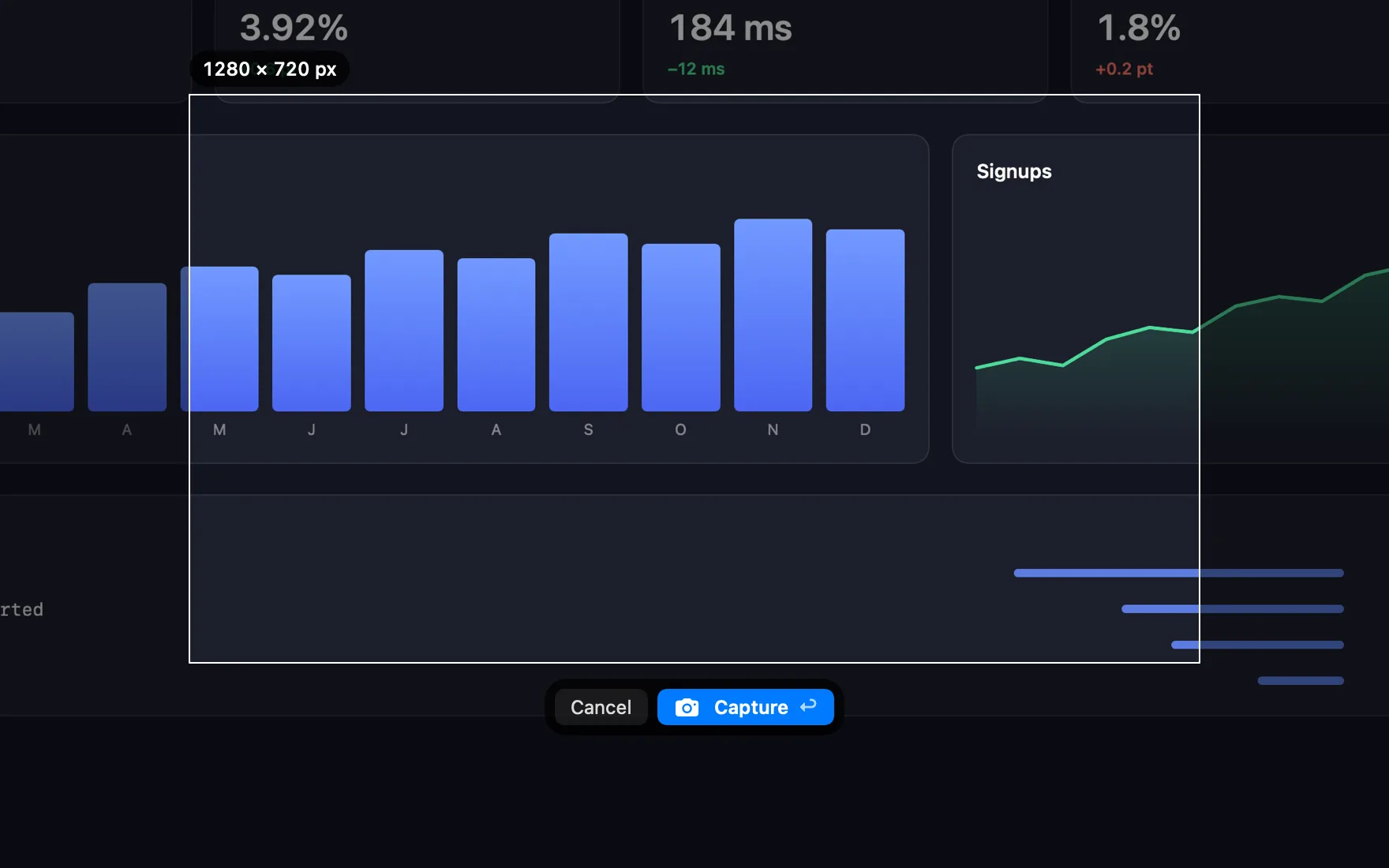
Pixel-exact
A magnifier for edges, a ratio kept while you drag, or an exact size such as 1280 × 720, ready to move into place.
Copy the text
The words in any area or window, straight to the clipboard.
A timer
3, 5 or 10 seconds to open a menu or hover first.
The same area again
Capture Previous Area, and desktop icons left out if you like.
Screen recording
Recordings that explain themselves.
Record an area, a window or the whole screen with your Mac's sound and your microphone. Draw on the screen as you talk, and let viewers see your clicks, your keys and your face.
- System audio + mic
- Pause and resume
- Draw with ⌃
- Click rings
- Keystrokes
- Camera bubble
- Trim
- MP4, GIF or a link
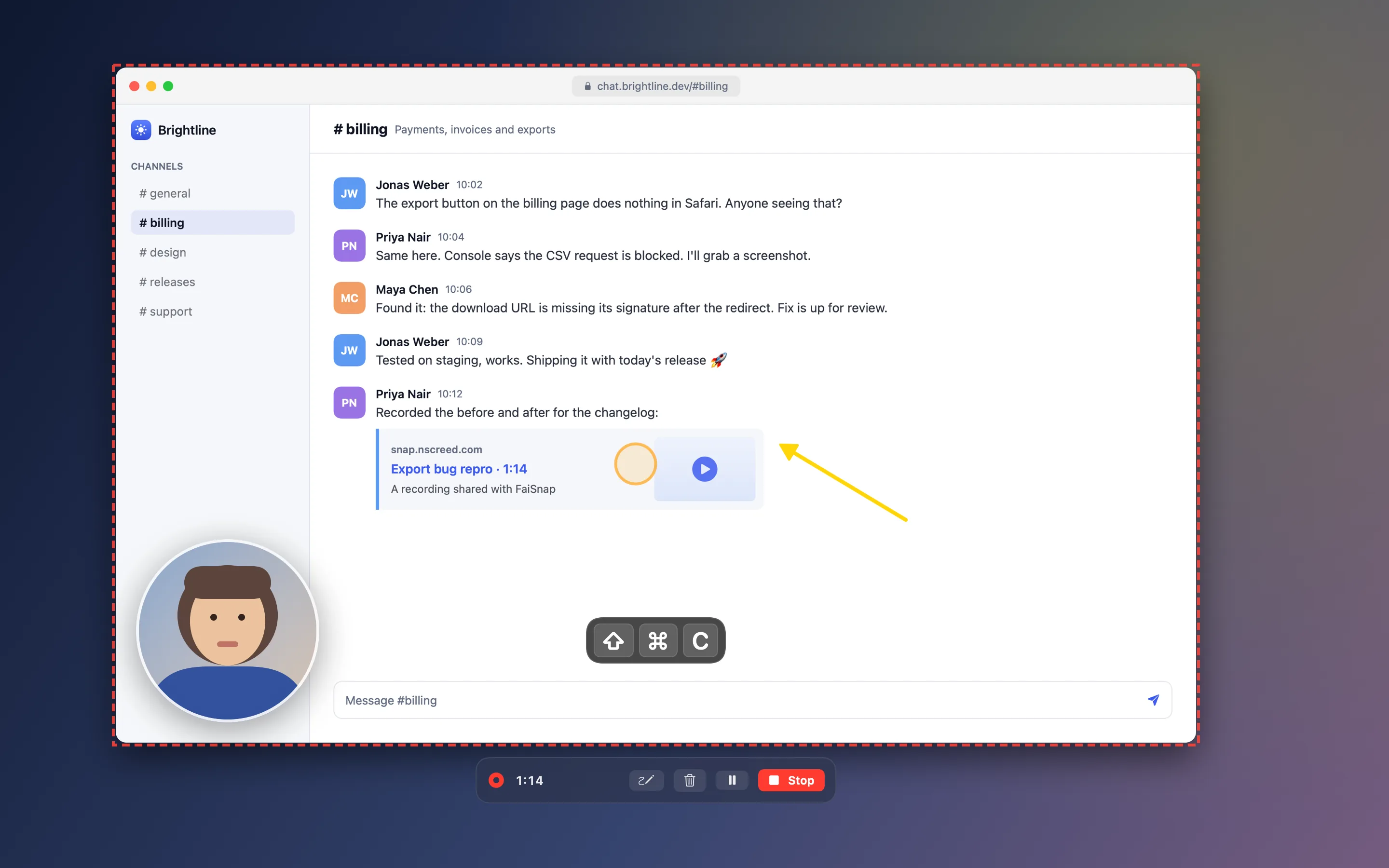
Links to recordings play right in the browser, on any phone, and stop working the moment you revoke them.
Editor
An editor made for screenshots.
Arrows, numbered steps, spotlight, labels, blur and shapes in one bar, each a single key away. Scribble a circle and it snaps into a clean one.

- Crop, or grow the canvas past the edges for notes
- Select several and change them together
- Beautify: a background, padding, rounded corners and a shadow
- Pin a capture above your windows while you work
Versions and links
Change your mind, even after you've shared.
Every edit is kept as a version: compare any two and see what changed, or go back. Links follow the latest version, can need a password or expire, can be revoked at any time, and show when they're opened.

Privacy
Your screenshots are none of our business.
FaiSnap is built so that what you capture stays yours. No ads, no tracking, and your captures are never used to train AI.
Stays on your Mac
Every capture, its versions and the text in it live in your Library on your Mac. Text recognition and the sensitive-text check run there too.
When you share
Only what a link shows is uploaded, over HTTPS, to private storage. You choose its password and expiry, see when it's opened, and revoke it at any time.
What we never do
- Sell or rent your data
- Show ads or track you
- Train AI on your captures
Questions
Good to know
Is FaiSnap free?
Yes. Download it and use everything on your Mac without an account. Links and backup use FaiSnap Cloud, free for now.
Which Macs does it run on?
Any Mac with macOS 14 Sonoma or later.
Do I need an account?
No. Sign in with Google only if you want your captures backed up and on your other Macs.
What goes to the cloud?
Nothing, unless you share a link or turn on backup. Then the capture, its versions and the text in it are stored privately for your account. The privacy policy has the details.
How does it compare with macOS's own screenshots?
FaiSnap captures what macOS does and more (scrolling pages, text, exact sizes), and adds an editor, versions, a Library you can search, recordings with your camera and keys, and links you can take back.
How do updates work?
FaiSnap checks once a day and updates itself. Every update is signed by us and notarized by Apple.